A brand new DartPad.dev with Flutter support


Today, we’re announcing a major upgrade of DartPad.dev with a fresh new look-and-feel and support for the popular Flutter UI toolkit.

Today we’re announcing a major upgrade of DartPad.dev with a fresh new look-and-feel and support for the popular Flutter UI toolkit. DartPad is our online editor that runs Dart programs directly in your browser, and now it runs Flutter apps too.
Make something today
#To create a new Flutter project, click the New Pad button and choose Flutter.

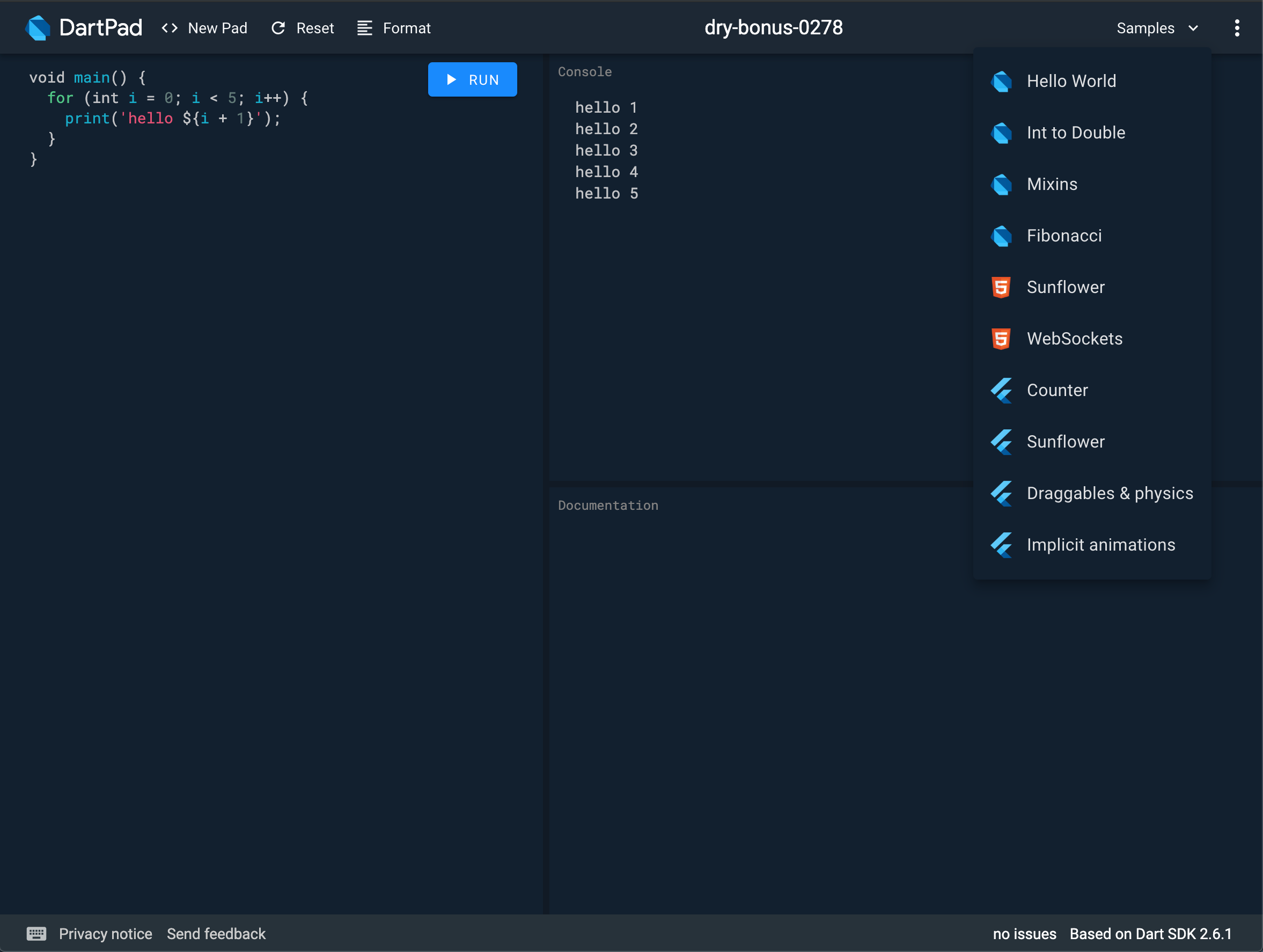
This adds some starter code to the editor and runs it. Any time that DartPad sees that you’re using package:flutter, a panel comes up to display the UI. Or use the
Samples menu to find a Flutter sample.
Features
#All of Flutter’s core libraries, like cupertino and material, are available to use, and DartPad can display their documentation. Select a symbol to see the documentation in the bottom panel.

DartPad formats code using the Dart formatter (dartfmt), offers assists, provides fixes, suggests auto-completions, and shows errors and warnings.
When you’re ready to share your snippet, you can create a GitHub gist
and put the gist ID in a URL like this: https://dartpad.dev/<GistID>. You can share this link in a bug report, in a StackOverflow question, or on your social media platform of choice. Check out the
sharing guide for more details.
You can also embed DartPad into a page, like in this codelab. Embedded DartPads are especially good for articles, codelabs, and tutorials. (Check out this guide if you’re interested in using DartPad in codelabs and tutorials.) To learn more about adding DartPad to a page, check out the embedding guide.
Thanks!
#DartPad is part of the Dart open-source project. If you’ve filed issues or submitted changes to DartPad, thank you for making it better. If you’d like to contribute, get started at github.com/dart-lang/dart-pad. To learn more about running Flutter on the web, visit flutter.dev/web.
We can’t wait to see what you build!
More from Dart

Announcing Genkit Dart 1.0: Build production-ready agentic apps with Dart and Flutter
Announcing the stable 1.0 release of Genkit Dart, an open-source framework for building production-ready agentic apps and AI features in Dart.


Skills CLI 1.0: Bundle and distribute AI agent skills for your packages
Ship official AI agent skills directly with your packages to improve discoverability.