3 cool Dart patterns
Try these three useful Dart programming patterns in your next Flutter app.

About the author: Jose recently graduated from university and now works on Material, a design system that helps teams build high-quality digital experiences. Jose’s team maintains the Flutter material library.
With the Flutter framework, you use the Dart programming language to create beautiful applications. Over time, I have learned useful Dart patterns that have helped me become a better Flutter developer. Here are three that I recommend you try in your next application:
Conditionally assigning a value:
boolean ? widget : widgetMerging widgets into a collection:
for ()...[]Immediately invoking an anonymous function:
() {} ()
This article shows you how to use each pattern, finishing with an embedded Pen where you can play with the code.
Conditionally assigning a value
#
The conditional assignment operator,
?: (also known as a ternary operator), requires one conditional expression and two value expressions. This pattern is useful when your widget depends on a boolean value. Instead of modularizing the operation into a separate method, you can use the ternary operator to run the code inline. I have used this technique countless times.
In the following example, the AppBar title depends on a boolean value. (In this case, the value is dependent on the
isVegetarian boolean.) If the value is true, the title text is set to the first value (“Vegetarian Food”); otherwise it’s the second value (“Non-Vegetarian Food”).
appBar: AppBar(
  title: Text(Random().nextBool()
      ? 'Vegetarian Food'
      : 'Non-Vegetarian Food'),
),
Merging widgets into a collection
#
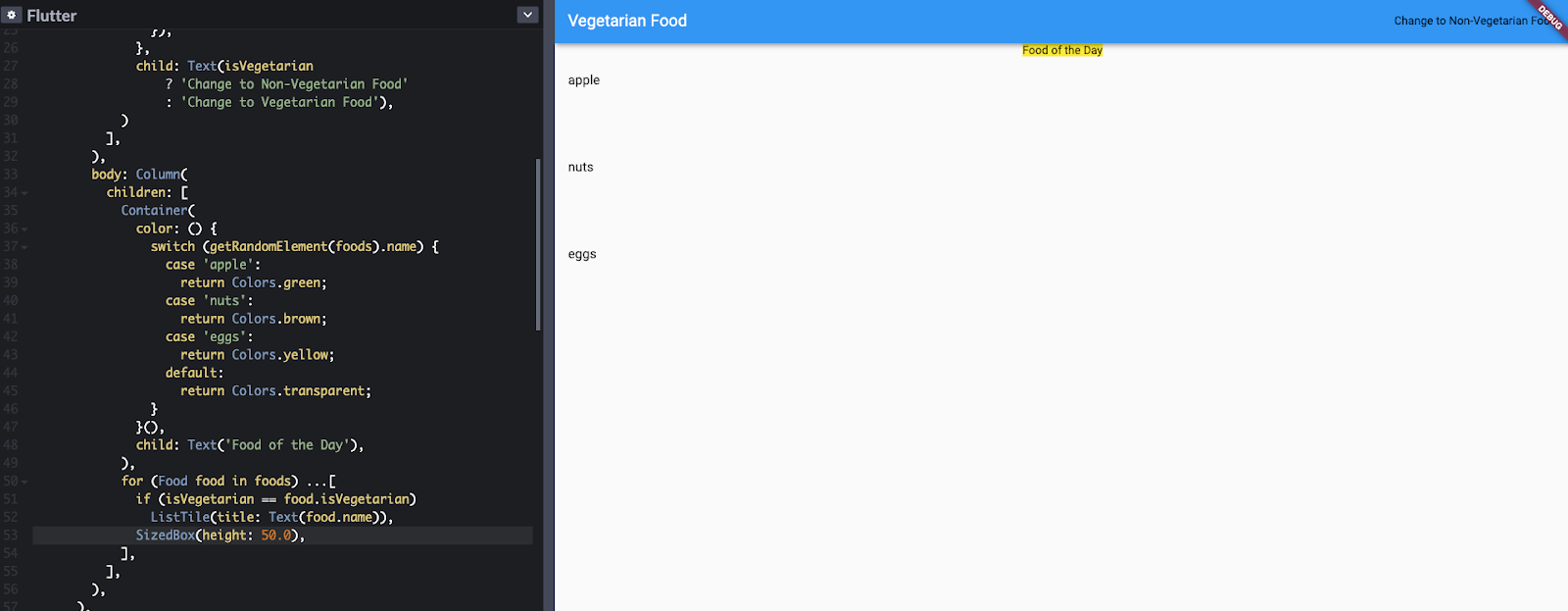
This pattern, for () ...[], uses the spread operator (...) to merge a list of widgets into an existing collection. I use this any time I am working with a list of widgets, often with the
children property. The following example uses this technique to create a list of widgets:
children: [
  Container(),
  for (final food in foods) ...[
    if (isVegetarian == food.isVegetarian)
      ListTile(title: Text(food.name)),
    SizedBox(height: 50.0),
  ],
],
In this example, foods is a list of Food objects, defined as follows:
List<Food> foods = [
  Food(name: 'apple', isVegetarian: true),
  Food(name: 'nuts', isVegetarian: true),
  Food(name: 'eggs', isVegetarian: true),
  Food(name: 'chicken', isVegetarian: false),
];

class Food {
  Food({
    this.name,
    this.isVegetarian,
  });

  String name;
  bool isVegetarian;
}
The for () ...[] pattern is handy whenever you need to add multiple widgets (such as the
ListTile widgets in the example if isVegetarian is true) multiple times (3 times, in the example) into a list of widgets.
Because the spread operator (...) is relatively new to Dart, make sure that your pubspec.yaml
file specifies a Dart SDK of 2.3.0 or later:
environment:
  sdk: ">=2.3.0 < 3.0.0"
To learn more about collection operators and spread operators, read the Dart language tour.
Immediately invoking an anonymous function
#
The third pattern, () {} (), is the Dart equivalent of an immediately invoked function expression (IIFE).
This handy pattern lets you define an anonymous function and execute it immediately. I found this pattern extremely useful when working with a widget that could have multiple outputs. Instead of having nested ternary operators or modularizing a simple call, the code is available inline. The following example shows this pattern, with an anonymous function that contains a
switch statement.
color: () {
  switch (getRandomElement(foods).name) {
    case 'apple':
      return Colors.green;
    case 'nuts':
      return Colors.brown;
    case 'eggs':
      return Colors.yellow;
    default:
      return Colors.transparent;
  }
}(),
Conclusion
#You can use CodePen to play with Flutter code. Here’s a Pen that has all the code in this article:
Here is another CodePen example with just colors:
I hope that these three Dart patterns give you more freedom while developing Flutter applications. If you have other favorite techniques, share them in the comments!
To learn more about Jose, visit him on GitHub, LinkedIn, YouTube, or Instagram.
More from Dart

Google Summer of Code 2026 results
Today, we spotlight the projects and results from contributors mentored by Dart and Flutter in Google Summer of Code 2026.


Dart in Google Summer of Code 2026
We’re excited to announce that the Dart project will mentor contributors for the seventh time in Google Summer of Code 2026!